Log Explorer
A downloadable tool for Windows, macOS, and Linux
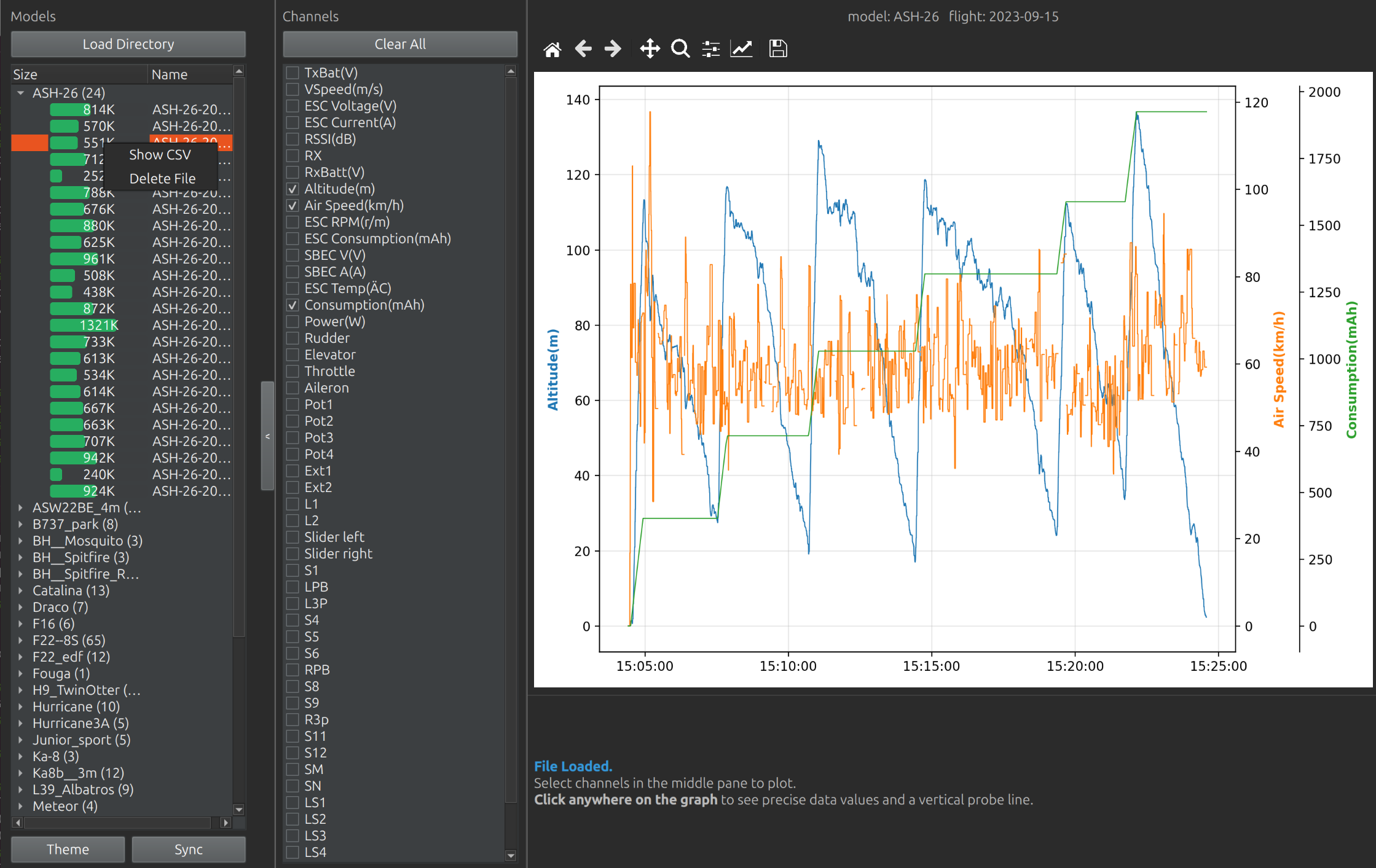
This Ethos Log Exporer will allow you to easily browse through and analyse all of your Frsky Ethos (and OpenTX) telemetry logs, nicely organised per model.
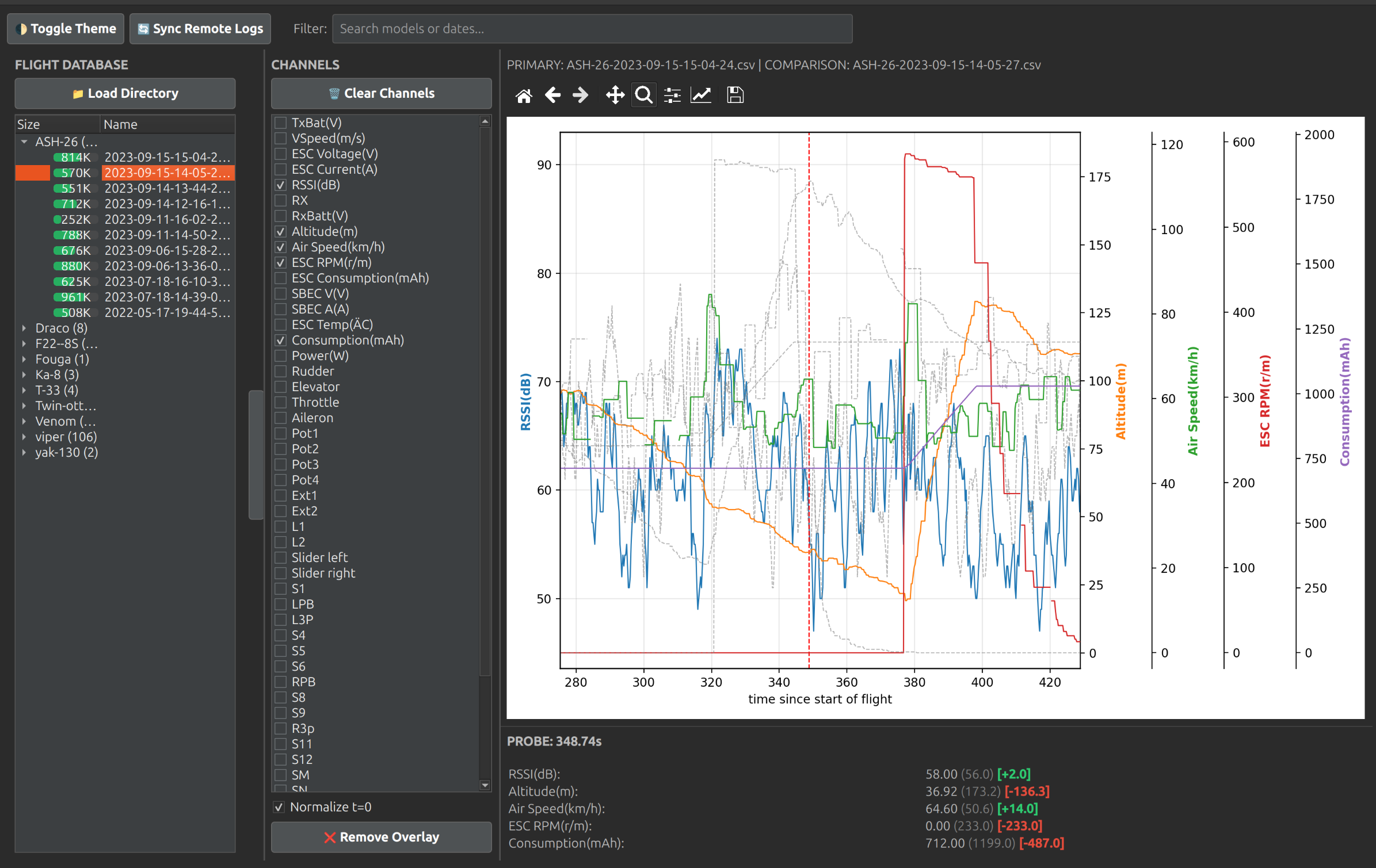
You just select one of the files, which will allow you to select which telemetry parameters you want to see, and they will be added to the graph. Click anywhere in the graph and the actual values for the selected parameters will be shown in an info pane below the graph. The left and right arrow keys allow you to scroll forward or backward along the timeline of the log. On top of that, you can switch on compare mode, and compare these values with those from any other flight, the difference in values will be indicated below the graph.
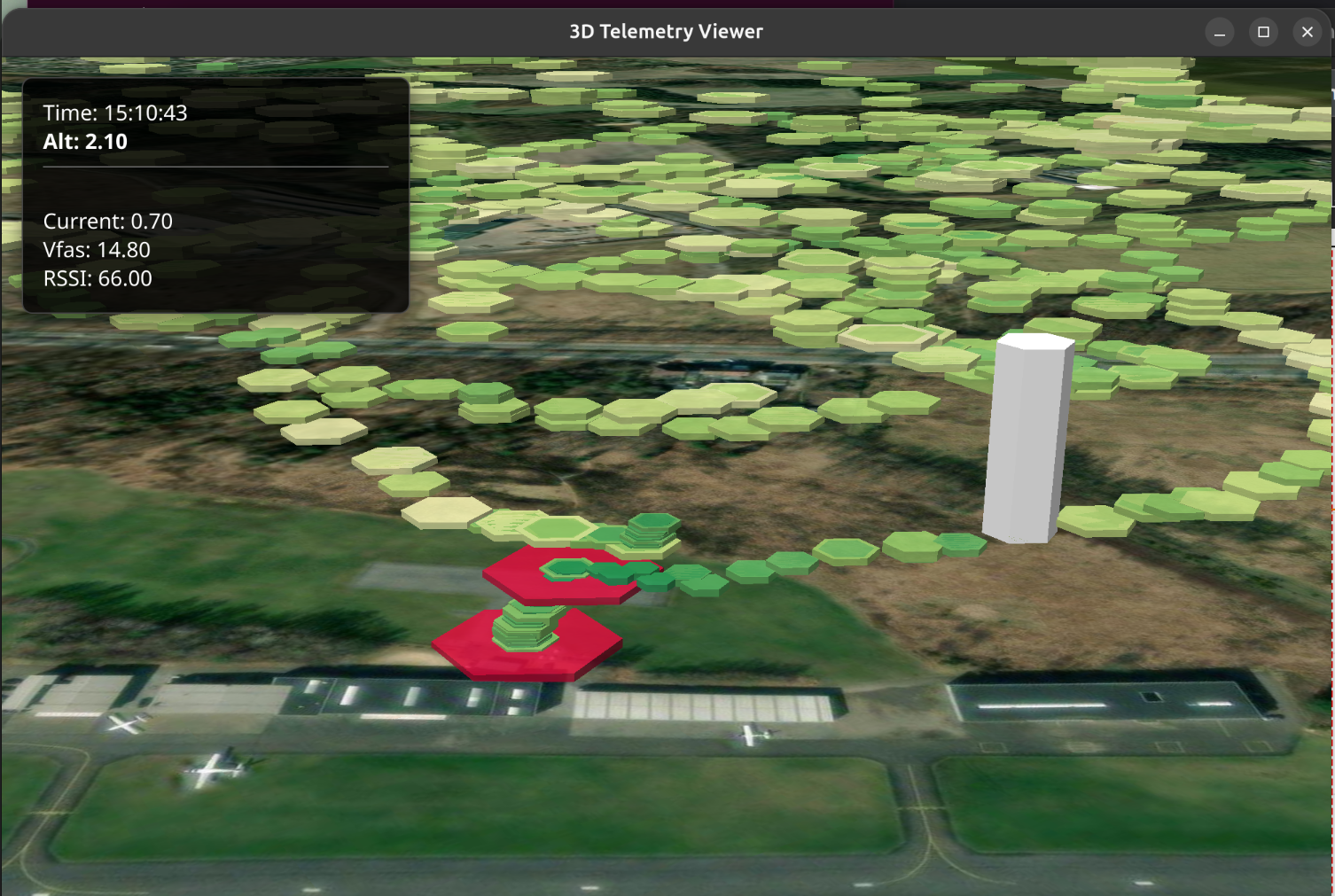
If your log file contains GPS data, you can easily view the 3D flight path with annotations of the telemetry parameter values you selected before.
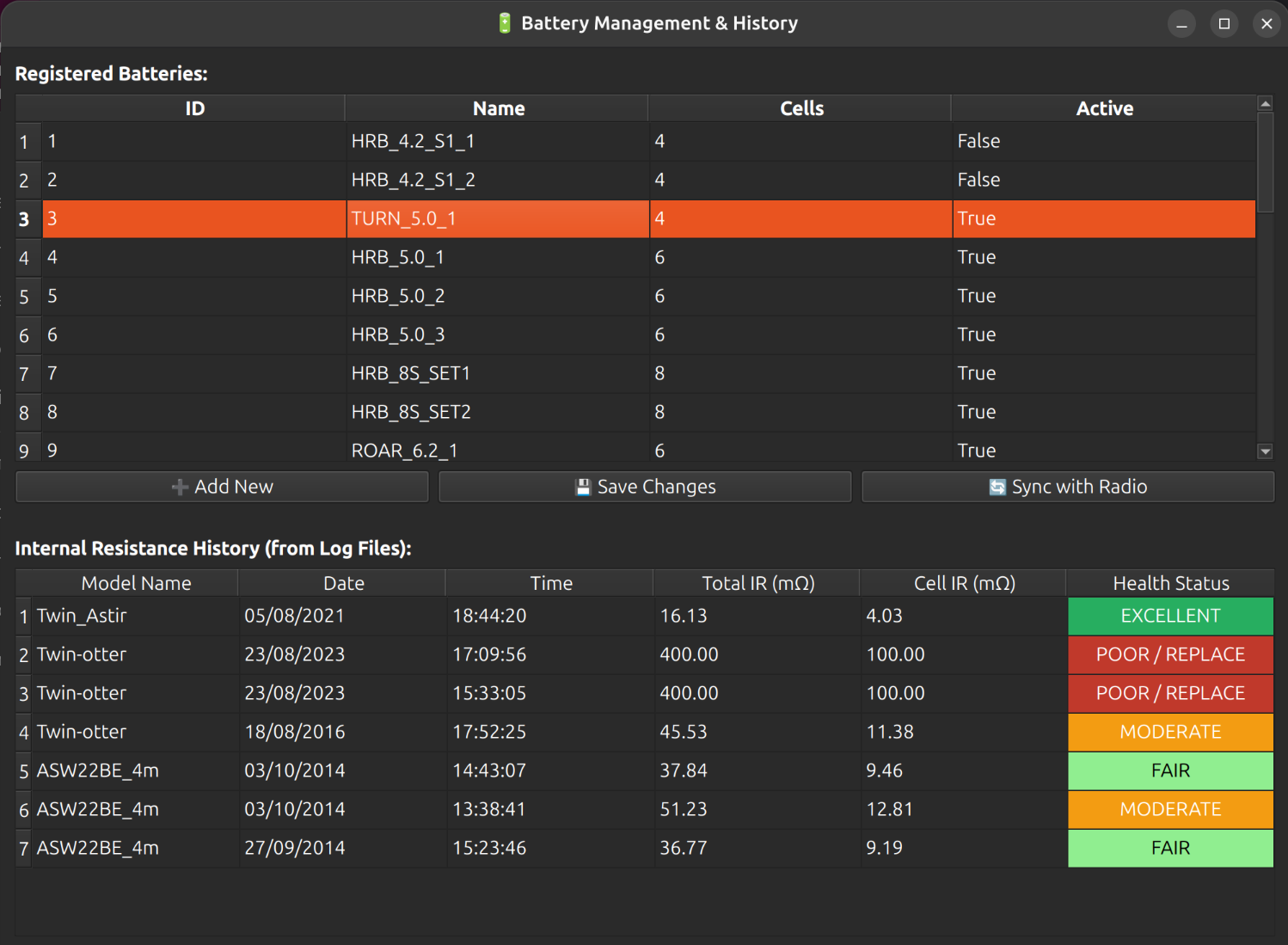
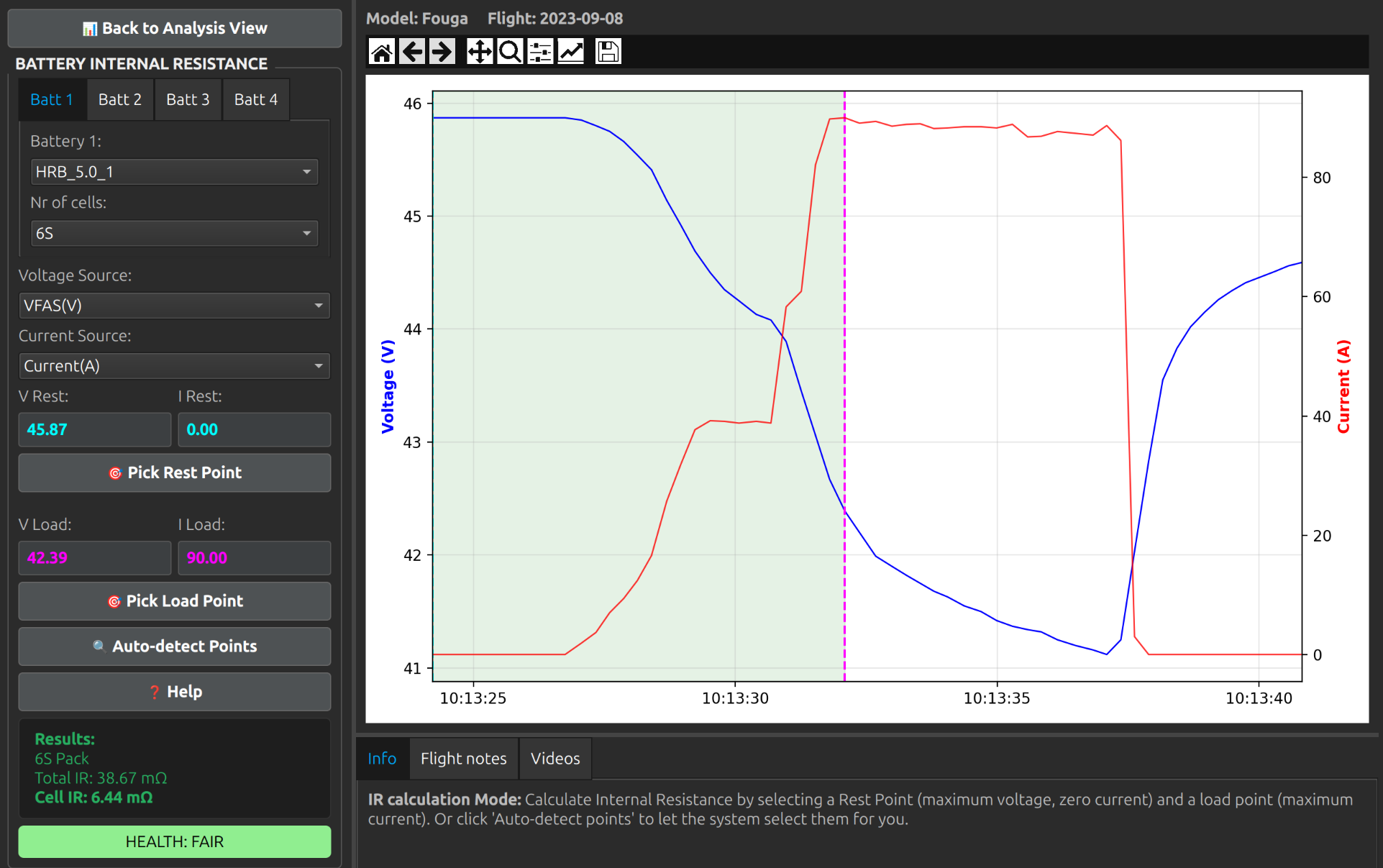
If you logged current and voltage of your flight battery, Ethos Log Explorer can calculate its internal resistance and give you an indication of the battery's health status.
Included is also the capability to synchronise the log files on your radio's SD card to the directory or folder on your PC; this app will be able to detect which files on your radio are newer than the ones already on your PC, with a single click, and copy them accordingly.
In version 2, the capability was added to keep track of you batteries and their health, by calculating the internal resistance and visualising the history for each battery.
In version 2.1 you can now keep flight notes, and link video files to each flight.
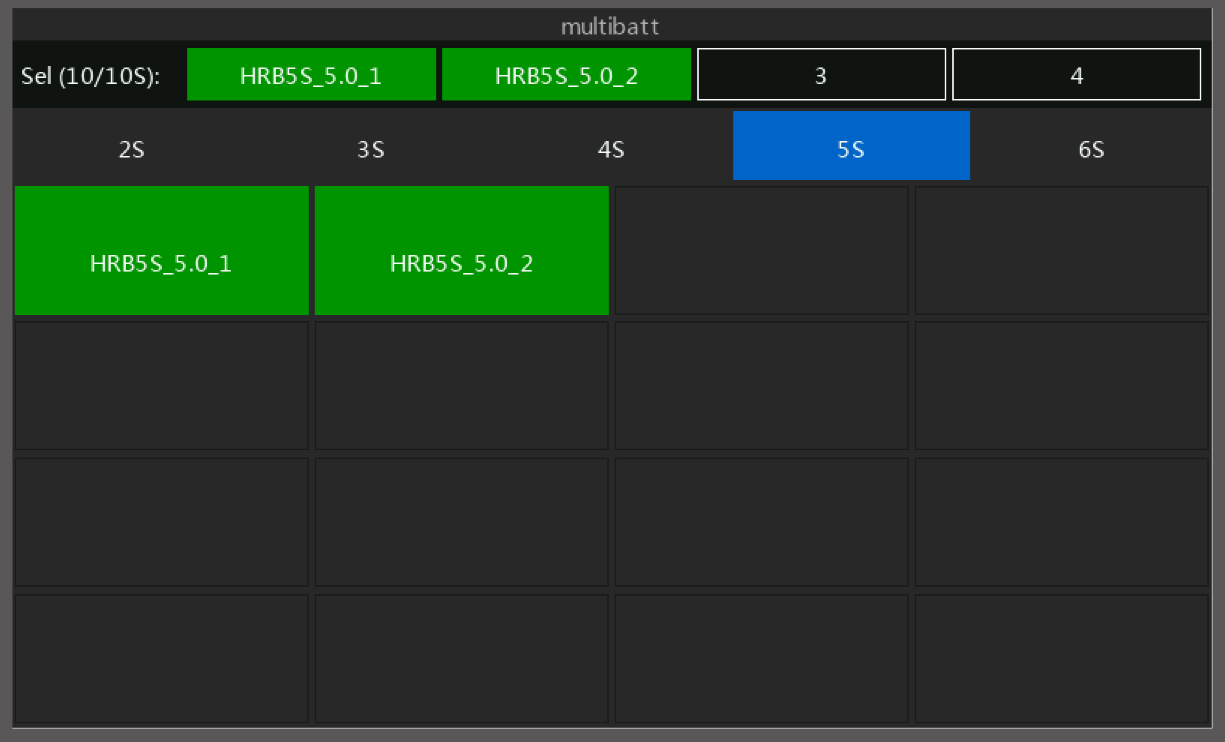
Starting from version 2.3 you can select multiple batteries per flight, to calculate the IR
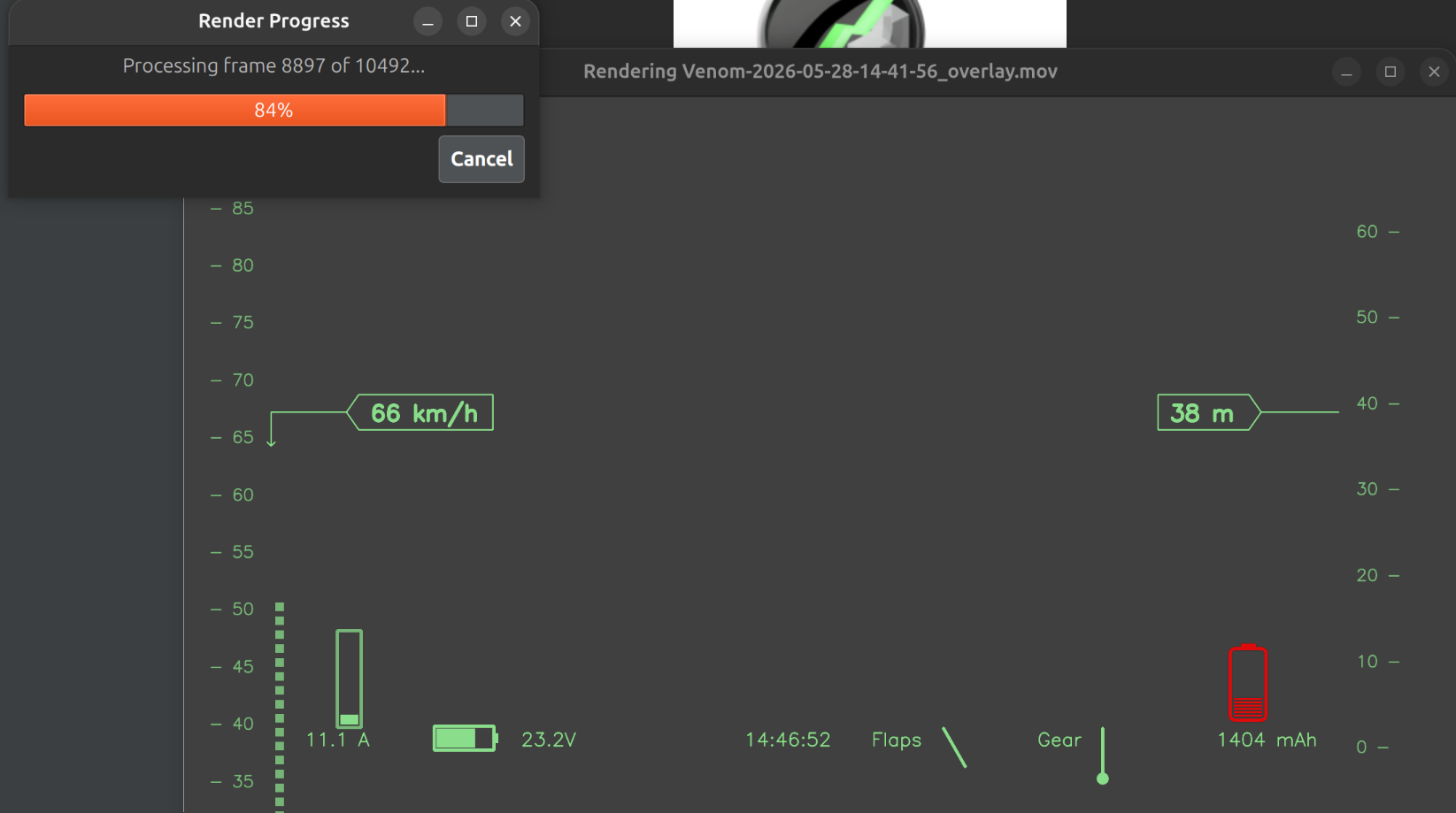
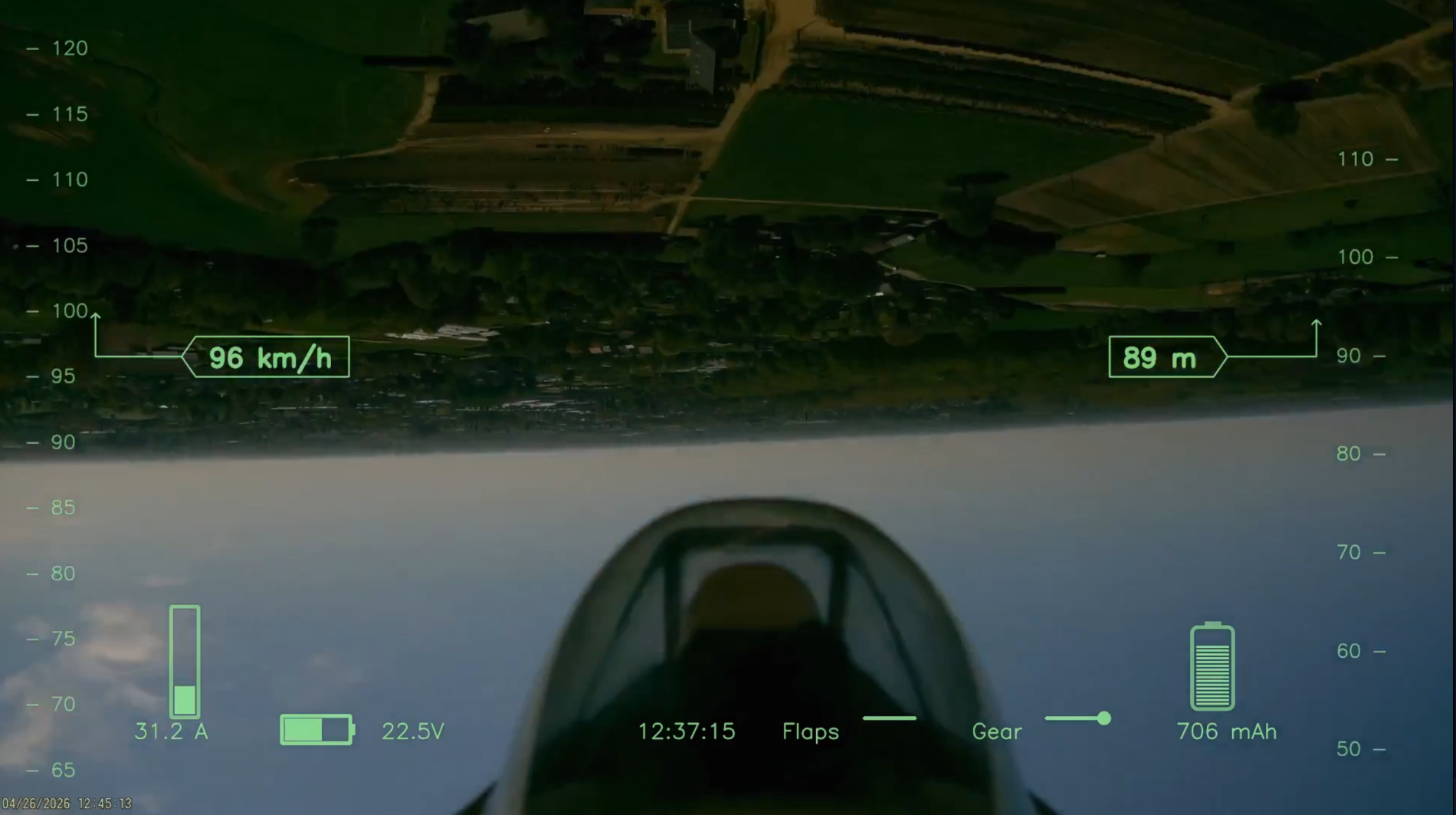
In version 2.4, the capability to generate transparent overlay videos with real-time data in a HUD style display.
Available for Windows, Linux and Mac OS
Tutorial videos are available on Youtube (more to follow soon):
Introduction, features overview: Log Explorer - Intro
Data Management: Part 1: Data management
Data analysis: Part 2: Data Analysis
DISCLAIMER:
Ethos Log Explorer is an independent software tool and is not affiliated with, authorized, sponsored, or endorsed by FrSky Electronic Co., Ltd. "FrSky" and "ETHOS" are trademarks of FrSky Electronic Co., Ltd. All other trademarks are the property of their respective owners.
Purchase
In order to download this tool you must purchase it at or above the minimum price of $10 USD. You will get access to the following files:
Download demo
Development log
- Release of Log Explorer v2.424 days ago
- Release of Log Explorer v2.339 days ago
- Release of Log Explorer v2.2a43 days ago
- Release of Log Explorer v2.245 days ago
- Release of Log Explorer v2.1Mar 28, 2026
- Release of Log Explorer v2.0Mar 22, 2026